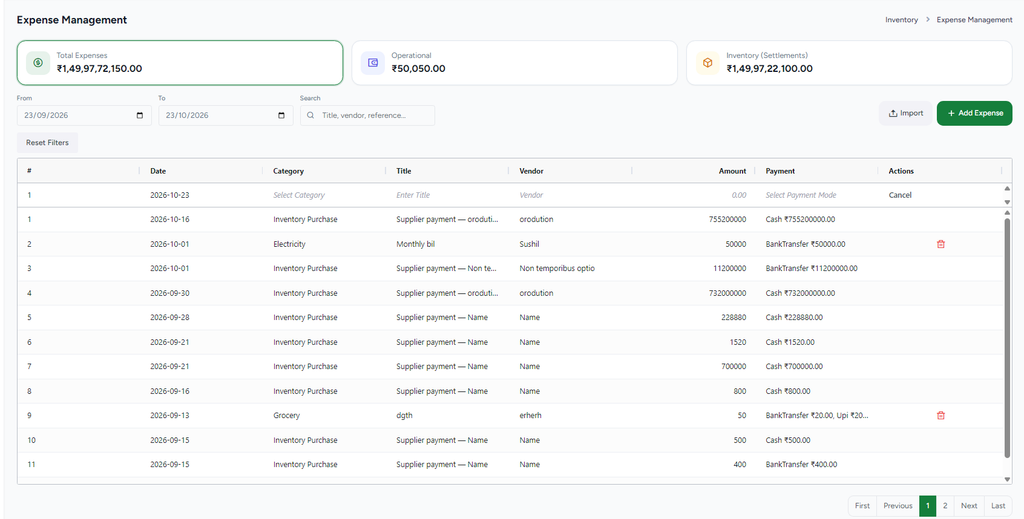
Purpose: This guide explains how to manage store expenses in the BillKaro Portal, including viewing expense summaries, filtering and searching records, adding and importing expenses, deleting expenses, and reviewing payment details.
Expense Management
The Expense Management screen provides the following functionality:
- Expense Summary: View total, operational, and inventory settlement expenses.
- Date Filters: Filter expense records by a selected date range.
- Search: Find expenses by title, vendor, or reference.
- Add Expense: Enter the date, category, title, vendor, amount, and payment mode.
- Import: Import expense records in bulk.
- Expense List: View expense details, including date, category, vendor, amount, and payment information.
- Delete: Remove expense records where the action is available.
- Reset Filters: Clear applied filters.
- Pagination: Navigate through expense records using the available page controls.