Skip to content
BillKaro POS
  • Features
  • Pricing
  • About
  • Contact
  • Blog
  • Documentation
Start Free Trial

Getting Started

⌘K
  • Portal
    • Login
    • BillKaro Portal – Dashboard
    • BillKaro Portal – Store Management Flow
    • BillKaro POS – Delivery Settings Flow
    • BillKaro POS – Dining Layout Flow
    • BillKaro POS – Order Status Settings Flow
    • BillKaro POS – Order Tab Labels
    • BillKaro POS – POS Printer Settings Documentation
    • BillKaro POS – Tax Management Flow
    • BillKaro POS – Weighted Item Unit Setup
    • BillKaro POS — Inventory Unit Management Flow
    • BillKaro POS Inventory Flow Documentation
    • BillKaro POS – Portal Stock Ledger & Movement History Flow
    • BillKaro POS – Portal Wastage Flow Documentation
    • BillKaro POS – Customer Wallet Flow
    • BillKaro POS – Reports Module Flow Documentation
    • BillKaro POS – Supplier, Purchasing & Invoice Settlement Flow
    • BillKaro POS — Expense Management Complete Flow
  • POS App
    • BillKaro POS – Main Screen Working Flow
    • Login
    • BillKaro POS – Top Bar Navigation
    • BillKaro POS – Reports
    • BillKaro POS – Customer Management
    • BillKaro POS – Dine-in Feature
    • BillKaro POS – Orders Module
    • BillKaro POS – Payment, Wallet, Discount & Offer Flow
    • BillKaro POS – Printer Settings
    • BillKaro POS – Wastage Management
    • BillKaro POS – Expenses Module Documentation
  1. Home
  2. Docs
  3. Getting Started
  4. Portal
  5. Login

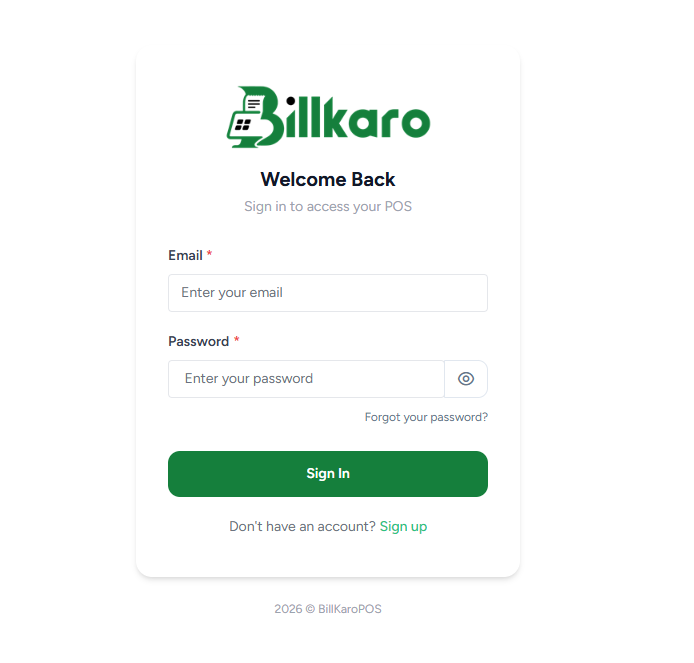
Login

Visit Billkaro Portal

Fill you credentials.
Click on Sign in.

Constraints
Email should be verified before login else you will not able to login.
Doc navigation

← PortalBillKaro Portal – Dashboard →
BillKaro POS

Simple POS billing software for kirana stores, cafes, retail shops, and growing Indian businesses.

Product

FeaturesPricingOrder Online

Company

AboutContactBloginfo@billkaropos.com

Legal

Privacy PolicyCookie PolicyMohali, India
© 2026 BillKaro POS. All rights reserved.