Features
POS Features Built for Everyday Business Operations
Explore the BillKaro POS capabilities that help Indian businesses run billing, inventory, customers, reporting, and daily store operations from one connected workspace.
Billing
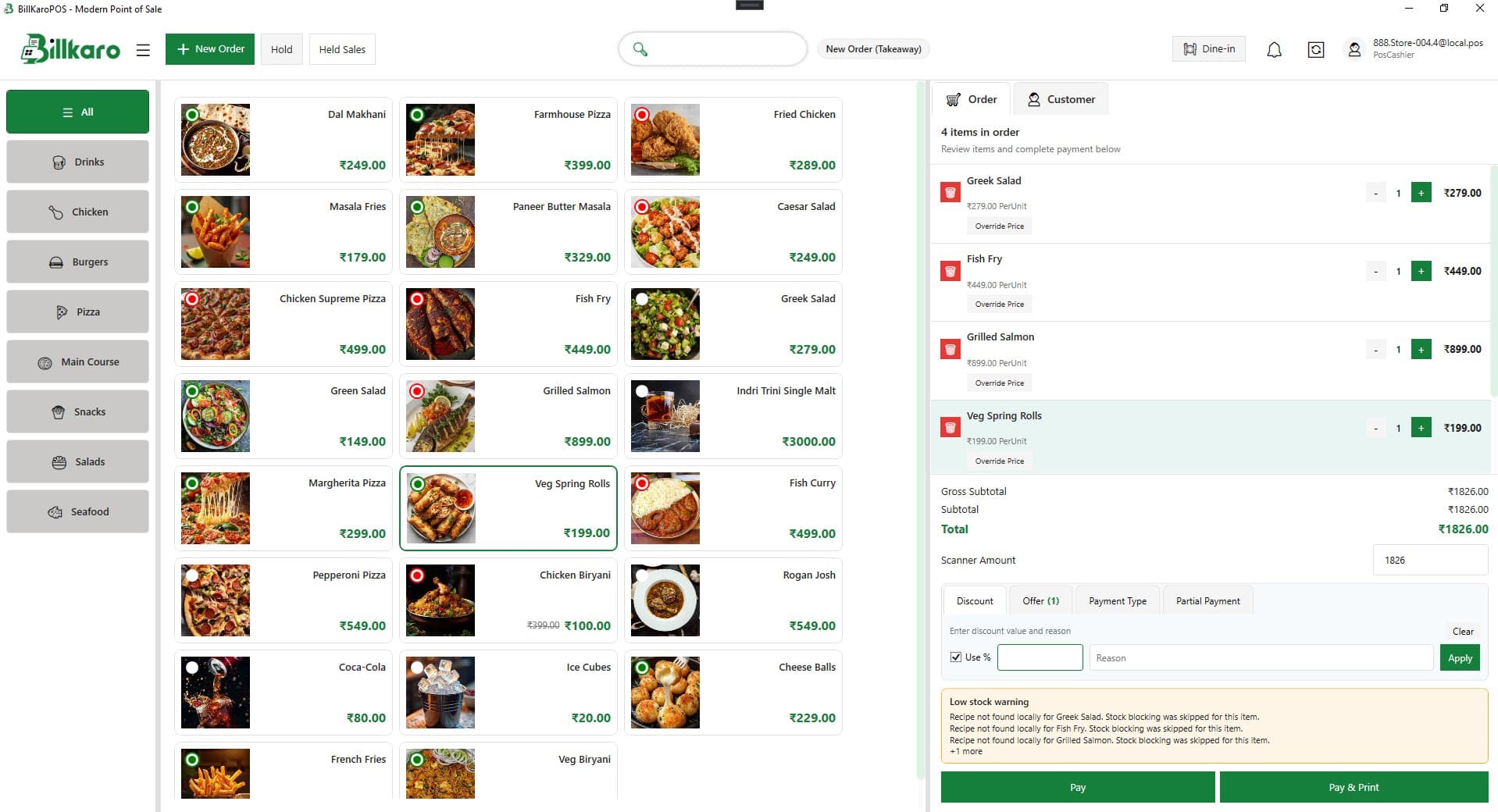
POS Billing
Run daily billing from a fast Windows POS screen built for checkout speed. Create new orders, review carts, apply discounts, accept multiple payment types, and print receipts without switching tools.
Payments
Configure payment types for your store, accept partial payments when needed, and keep every transaction tied to the order for accurate daily reconciliation.
Sales
Orders
Track every order from creation to completion. Hold and resume sales, manage dine-in and channel orders, and keep front-desk and back-office teams aligned on order status.
Discounts
Configure and apply discount rules during billing so cashiers can offer promotions confidently while keeping totals and receipts accurate.
Operations
Dining
Manage dine-in order flows and dining layouts so table service teams can bill accurately and keep kitchen and floor operations connected.
Suppliers & Purchases
Track suppliers, purchase orders, incoming purchases, and invoice settlements so procurement stays connected to inventory and store operations.
Analytics
Reports
Review sales and operational reports to understand daily performance, spot trends, and make informed decisions without exporting spreadsheets manually.
AI Reports
Use AI-assisted reporting to surface operational insights faster and support day-to-day decisions with clearer visibility into store performance.
CRM
Customers
Access customer details at checkout, connect orders to customer records, and keep repeat buyer context available where your team needs it.
Customer Wallet
Let customers hold wallet balances for faster repeat checkout and keep wallet activity connected to order history for your team.
Inventory
Inventory
Manage item recipes, raw materials, stock ledger entries, and unit conversions so inventory stays aligned with what you sell and what you consume.
Marketing
Promotions
Create menu structures, configure promotional offers, and maintain tax profiles so pricing and promotions stay consistent across channels.
Administration
POS Settings
Configure portal users, store users, roles, and permissions so each location runs with the right access levels and operational controls.
Multi Store
Operate multiple store locations from a single BillKaro workspace with centralized control over stores, users, and dining configuration.